A mechanical engineering portfolio should explain the work behind the CAD images. Show your role, a design decision and how you checked it. This example brings those details into a student portfolio with an introduction, two projects and a skills section.
The student and projects below are fictional writing examples. The Mechanical template preview also uses fictional sample material. These are layouts to adapt, not verified engineering results or evidence of hiring outcomes.
Example portfolio structure
For a student applying for a mechanical design placement, start with a short introduction and the most relevant project. A second project can show another method or responsibility. You do not need to fill every section before your work is ready.
| Section | Example content | What the reader can assess |
|---|---|---|
| Introduction | Mechanical engineering student interested in design and testing; placement availability | The kind of work you are looking for |
| Featured project | Mounting bracket: requirements, drawing, load assumptions and checks | How you connect a design to evidence |
| Second project | Test fixture: your contribution, assembly revision and trial observations | A different part of your engineering work |
| Skills and education | CAD, analysis and workshop methods linked to the projects where you used them | The context behind your tool list |
| Contact and supporting links | Professional contact route and permitted project documents | How to ask about the work |
Adapt this structure to the role and the work you have. There is no required project count. An analysis application might lead with calculations and validation; a manufacturing application might lead with drawings, assembly and process choices.
Write an introduction that fits a mechanical design role
Here is sample copy to adapt:
I am a mechanical engineering student interested in design and test work. My coursework includes a mounting-bracket study and a test-fixture project. I use this portfolio to show my drawings, explain the choices I made and record the checks completed so far. I am looking for a placement where I can develop those skills further.
Replace the course, projects and availability with your own information. “Expert in SolidWorks” tells the reader less than a specific account of what you modelled, drew or checked. If you are targeting an internship, connect the opening to the actual role rather than listing every engineering discipline.
The engineering student CV example covers the accompanying document. Your CV can summarise the work; the portfolio gives it room for images and explanations. Follow the employer's requested format.
Featured project: mounting-bracket study
A part image starts the explanation. The design choice and the evidence belong beside it.
Show the mounting face, clearance or other feature your decision concerned.
Say what you changed and why the requirement led you to that choice.
Name the calculation, simulation or physical test, and any validation still pending.
Use a descriptive heading: Mounting bracket: design and analysis study. Put your role and the project status near the top. In this fictional example, the student owns the CAD model and analysis notes; physical testing is unfinished.
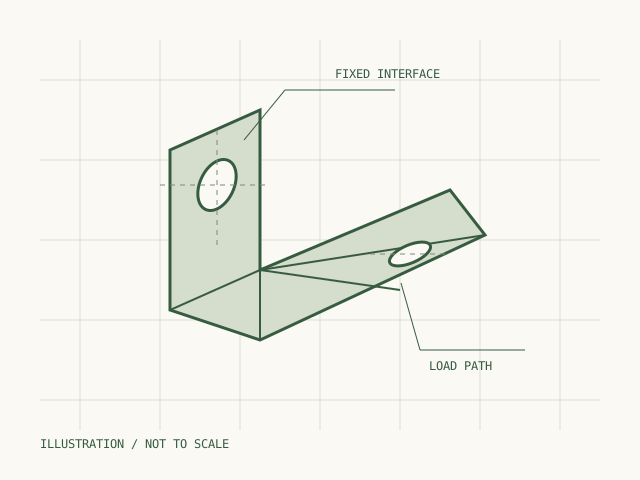
A drawing needs a caption explaining its purpose. For your own project, include relevant dimensions, units and revision context where you can share them.
Sample project copy:
I modelled a mounting bracket for a coursework design study and prepared a drawing for review. My work covered the geometry, material assumption and a comparison of two support arrangements. I documented the assumed load and constraints before running the analysis. The result is a design study, not a certified load rating: physical testing remains unfinished. My next step is to compare the calculation and simulation assumptions with a permitted test setup.
Then add the evidence that makes this account useful:
- Requirement: the real brief and relevant constraints, such as space, assembly or loading.
- Decision: one geometry, material or manufacturing choice, and why you made it.
- Check: the calculation, simulation or test you actually completed, with units and conditions.
- Limit: an unresolved assumption, unfinished test or condition the result does not cover.
Use the CAD and FEA walkthrough for the detail beside an analysis image. Keep a colourful stress plot next to its load case and constraints. A simulation alone does not demonstrate that a manufactured part passed a physical test.
Second project: a test fixture
A second entry is useful when it shows another relevant skill. Here, the fixture adds assembly work and trial observations to the bracket's CAD and analysis study.
Sample copy:
In a group fixture project, I prepared the assembly drawing and recorded issues found during a trial fit. I revised an access feature after the first assembly made adjustment difficult. The page shows the revision I made and the trial notes. Other team members designed the instrumentation; I describe their work as project context, rather than as my contribution. A repeated measurement study is still planned.
Pair that account with your own permitted drawing or photograph. Say which revision is pictured and which part you changed. If a teammate designed the rig, credit them and explain your specific responsibility. Avoid claiming a precision improvement until you have data and a method that support it.
Coursework can be a useful start. The no-experience portfolio guide helps you identify evidence when you have not had an engineering job yet.
Connect skills to the project evidence
Keep the skills section short and explain where each method was used. “CAD assembly and drawing preparation: fixture project” gives a reader somewhere to look. “FEA: bracket study; physical validation pending” states both the method and the current limit.
Do not copy this example's tools into your portfolio unless you used them. Name your actual software and your level of responsibility. Your skills list, CV and project accounts should describe the same work.
Build this structure in FolioBuild
Preview the Mechanical portfolio template, then start a draft with your own introduction and project entries. You can build manually or generate a draft from a CV PDF using AI credits. Add project images and supporting links, and review the descriptions against your records.
FolioBuild publishes a website link. If an application requires a PDF portfolio, prepare the document separately; there is no matching PDF export. Check permissions before sharing coursework, team material or placement work, and remove confidential details from images as well as text.
Review it before sending an application
Open the published link while signed out and on a phone. Check that the first project fits the role, every image is readable and supporting links open for someone outside your account. Make the status of unfinished work clear. Keep your contact details current.
Use the mechanical engineering portfolio builder page to review the discipline's project options. For the whole preparation and publishing process, read how to make an engineering portfolio website.
Oxford's technical interview guidance explains that questions may explore a final-year project and your reasoning. Use this structure to prepare an account of your own work, and be ready to discuss the decisions behind it.